
Before you begin
⚠️ Certificates, learning materials, courses... are no longer available via IOTAPlus.org. Rather, all membership tasks and benefits are now available through my.gynaia.com.
⚠️ If you had an IOTAPlus.org account previously, it is still active. Going forward, you will only use it to register for the bi-annual IOTA Congress, the bi-annual Ultrasound Symposium, and for events organized by Leuven University. Conversely, all IOTA training and certification related actions, IOTA webinars, decision support apps, case streams, ... have moved to my.gynaia.com.
How to Download Your IOTA Certificate
You can easily download your certificate by following these steps:
Step 1 - Log in to your account on my.gynaia.com .
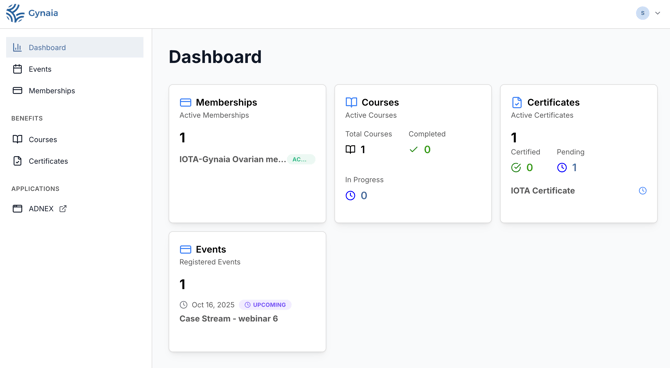
Step 2 - Click on “Certificates” in the main dashboard (see screenshot below).
That’s it! If you encounter any issues, click “Get in touch” to contact the Gynaia support team.